 WormaSounds
Every app gets its own volume.
Turn one app down, send another to your headphones, and make your volume keys work on every output. All from the menu bar.
macOS 26 or later. No audio driver to install.
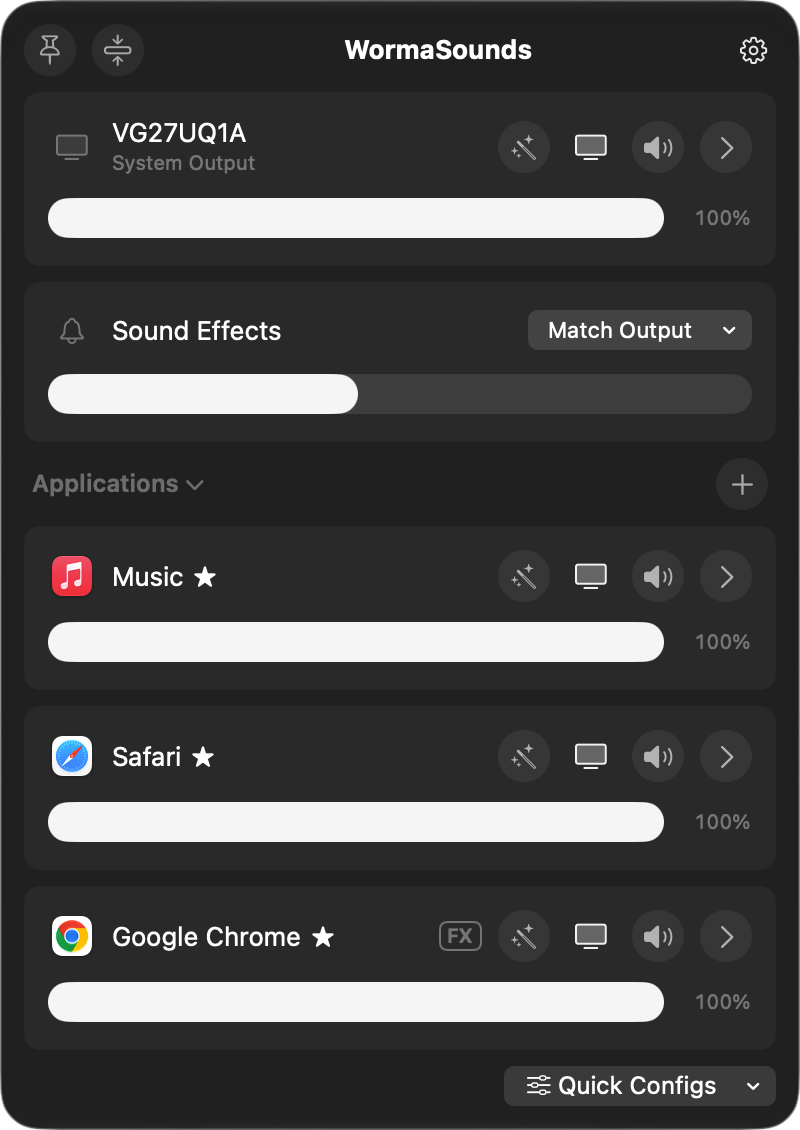
Turn one app down.
The call is too quiet and the music is too loud. Drag each one where you want it. Every app that plays sound shows up with its own slider. Need it louder than the app allows? Keep dragging past 100%, up to 400%.
Send any app to any speaker.
Music on the speakers, the meeting in your headphones. Pick an output per app, and it stays there until you change it.
Volume keys on every output.
Monitors over HDMI or DisplayPort ignore the Mac's volume keys. Super Volume Keys makes them work anyway, with the familiar on-screen bezel and no click sound.
Shape the sound.
A 10-band equalizer with presets, Magic Boost for quiet videos, headphone correction profiles, and any Audio Unit plug-in you already own, per app or per output.
The little things.
Quick Configs
Save a whole setup, like "Meeting" or "Movie night", and switch to it in one click or one shortcut.
Favorites
Star the apps you adjust most. They stay at the top, playing or not.
Timed mute
Mute an app for 30 seconds to 5 minutes. It comes back on its own, right after the ad.
Menu bar meters
Put any app or device in the menu bar with its own level meter. Click to mute.
Keyboard shortcuts
Global shortcuts for any app, device or Quick Config.
Shortcuts and Siri
Set volumes, outputs and effects from the Shortcuts app.
Output groups
Play through several devices at once, each with its own volume.
Device settings
Nicknames, sample rate, a maximum volume, and a preferred order when devices come and go.
Questions.
Do I need to install an audio driver?
No. WormaSounds uses the per-app audio taps built into macOS. Nothing gets added to your system's audio setup, and quitting the app puts everything back.
What permissions does it ask for?
Audio capture, so it can change an app's volume. Accessibility for Super Volume Keys, so it can see your volume keys. The intro asks for it, and you can say Not Now or turn the feature off in Settings. If you run apps from an external drive, macOS also asks to let WormaSounds read files there, so it can show those apps' names and icons.
Does it change apps I haven't touched?
No. An app is only processed once you change its volume, output or effects. Everything else plays exactly as before.
Will it play a sound when I change the volume?
Never. Not from the slider, the keys, or a shortcut.
Which Macs does it run on?
Any Mac with macOS 26 or later.
Turn it down.
macOS 26 or later.